Unifying an Investigative Platform
LeadsOnline had grown through multiple products and acquisitions, leaving investigators with fragmented workflows and leadership with an open strategic question: could AI help unify the platform? I turned that ambiguity into a working prototype that helped executives align around a company-wide product direction.
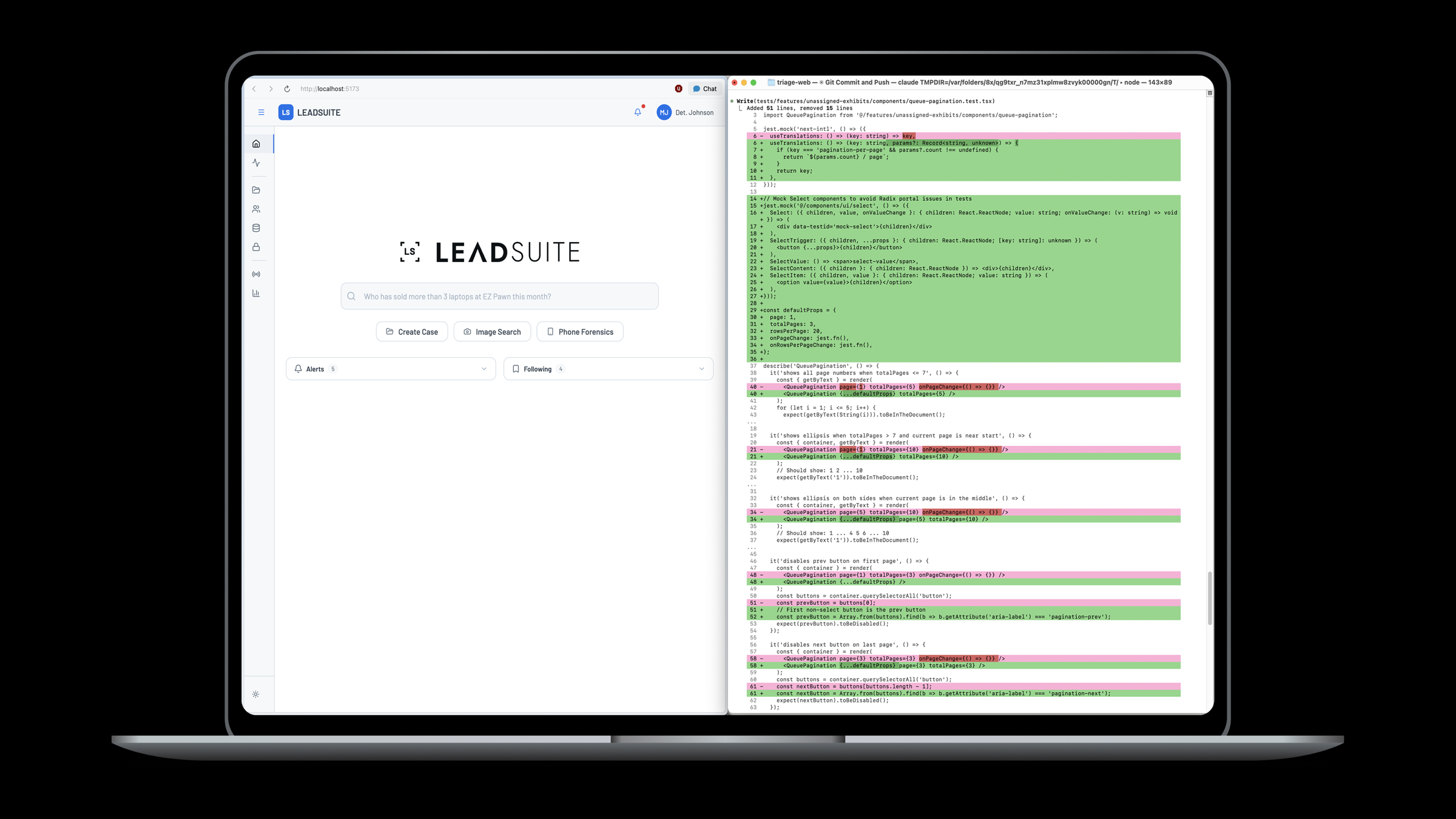
*This work involves sensitive law-enforcement investigations, so I can't share full details publicly. These visuals are representative of the live product, and I'm glad to walk through the complete case study and design decisions in conversation.*
At a Glance
The Business Context
LeadsOnline had accumulated multiple investigative products over time. Each solved a different problem, but together they created fragmented workflows, duplicated functionality, inconsistent navigation, and disconnected data. Customers increasingly needed to work across products, while leadership wanted to understand whether AI could create a more unified investigative experience.
Strategic Question: Should we fundamentally rethink how our products work together?
The product fragmentation
LeadsOnline and LeadSuite had been growing apart. Investigators kept asking LeadSuite for search capabilities that only existed in LeadsOnline, and the case-first model made it hard to move across data as an investigation evolved.
The strategic ambiguity
The CEO, product, and engineering teams were all asking what the platform could become. Nobody needed more abstract discussion. The company needed a concrete future state it could react to and make decisions around.
Making Strategy Tangible
The prototype wasn't intended to validate interface design. It was intended to help leadership evaluate a potential company-wide product strategy. My job was to hold PM explorations, CEO input, engineering constraints, and investigator workflows at the same time, then turn them into a coherent product direction people could actually use.
"I didn't hand off a spec. I handed off a future state."
Speed as Strategic Leverage
The two-week timeline mattered because it changed the cost of strategic exploration. A traditional path could have meant months of workshops, wireframes, and debate before leadership could judge the idea. AI-assisted development let me collapse that into a working prototype quickly enough to influence the roadmap while the question was still open.
From discussion to artifact
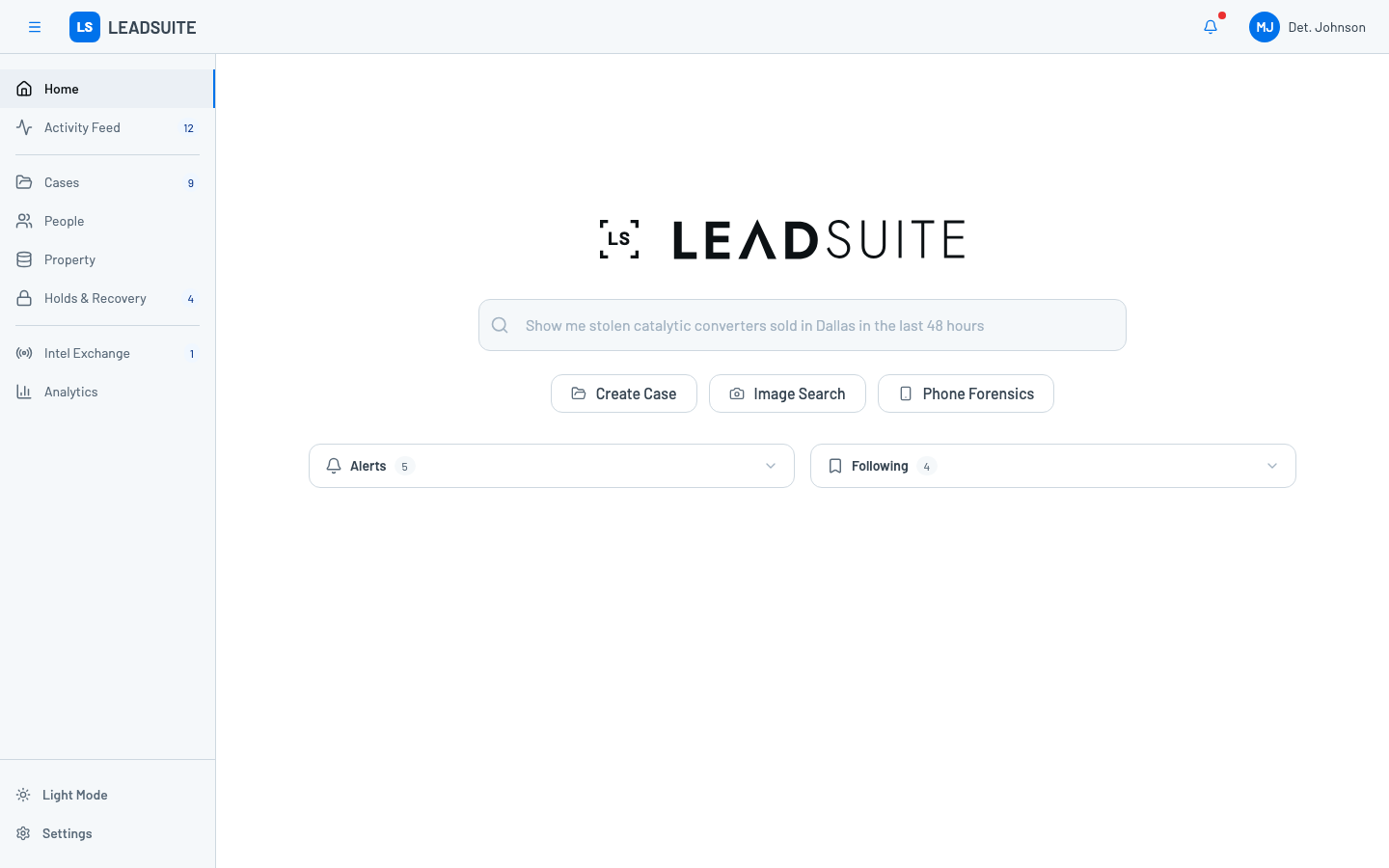
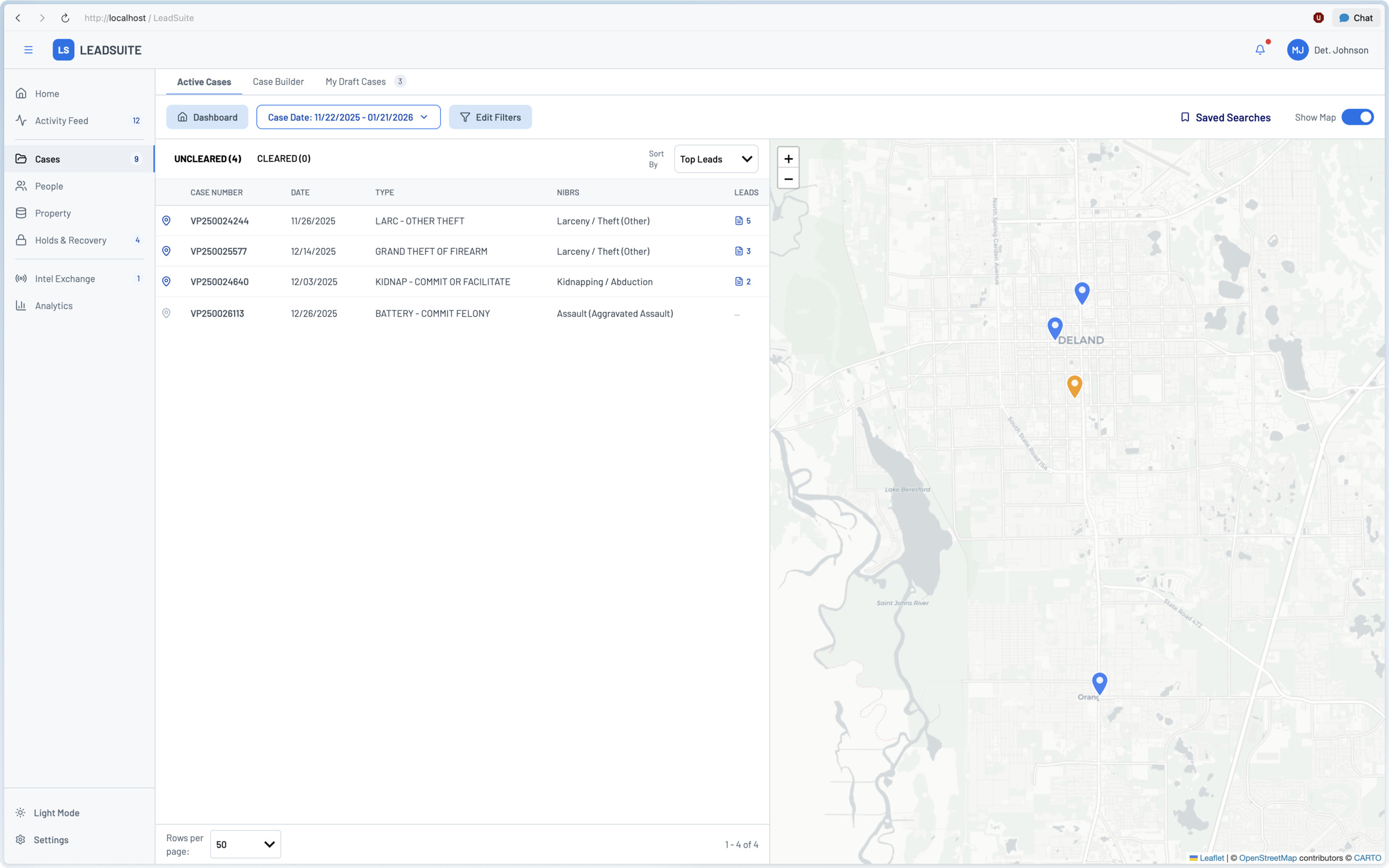
Instead of asking stakeholders to imagine a unified platform from diagrams or static screens, the prototype let them search, review cases, inspect entities, and see how workflows could connect.
From artifact to decision
Because the prototype behaved like a product, leadership could evaluate tradeoffs around AI search, case building, data relationships, and workflow consolidation in the same conversation.
From decision to momentum
The prototype gave engineering a concrete starting point, which helped the initiative move from strategic possibility into active implementation without a long handoff cycle.
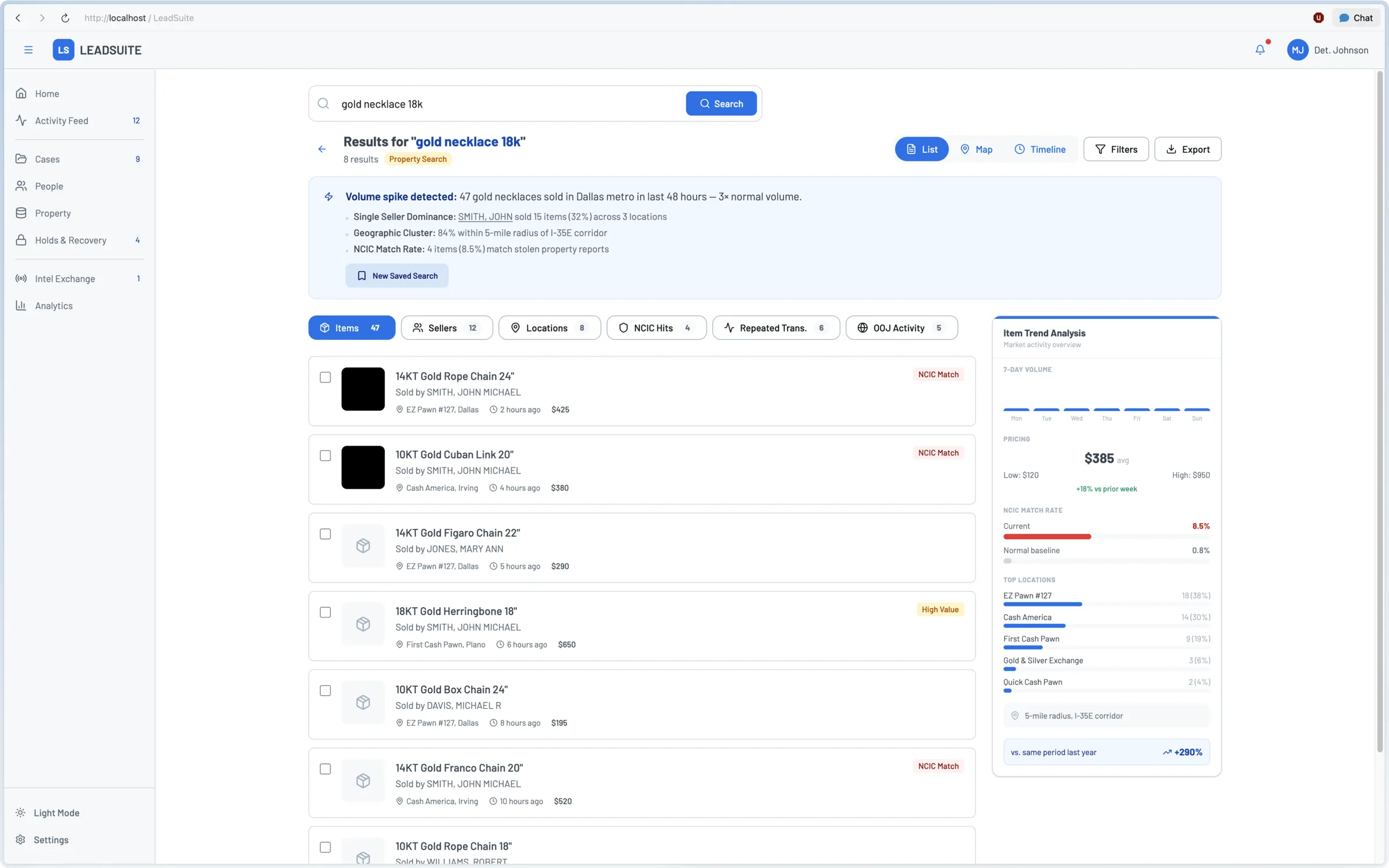
What the Prototype Revealed
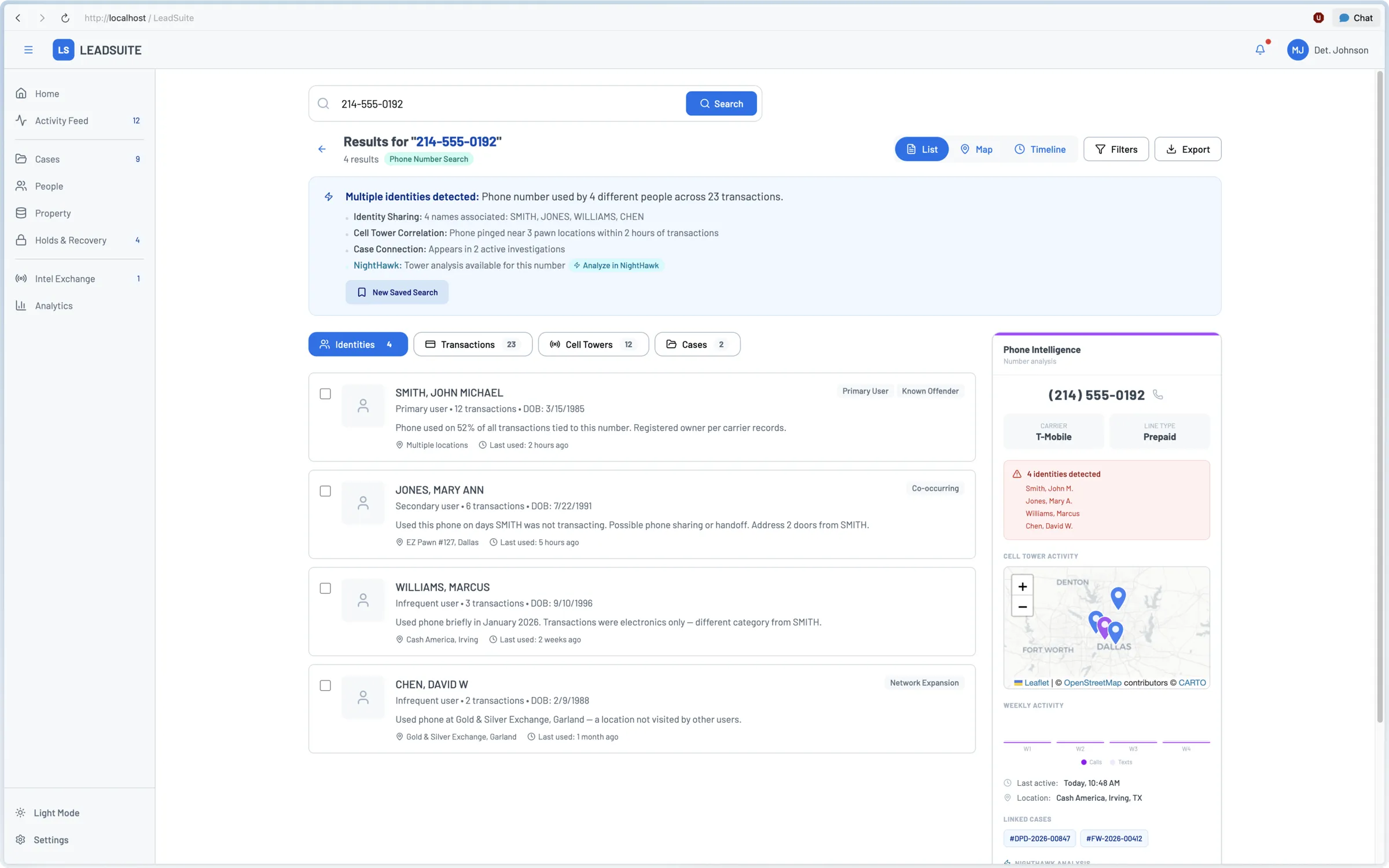
The knowledge panel wasn't in any of the early concepts. It came from using the prototype and asking what would actually be useful to see alongside results. Investigators can already see the data; the prototype revealed they couldn't always interpret it quickly.
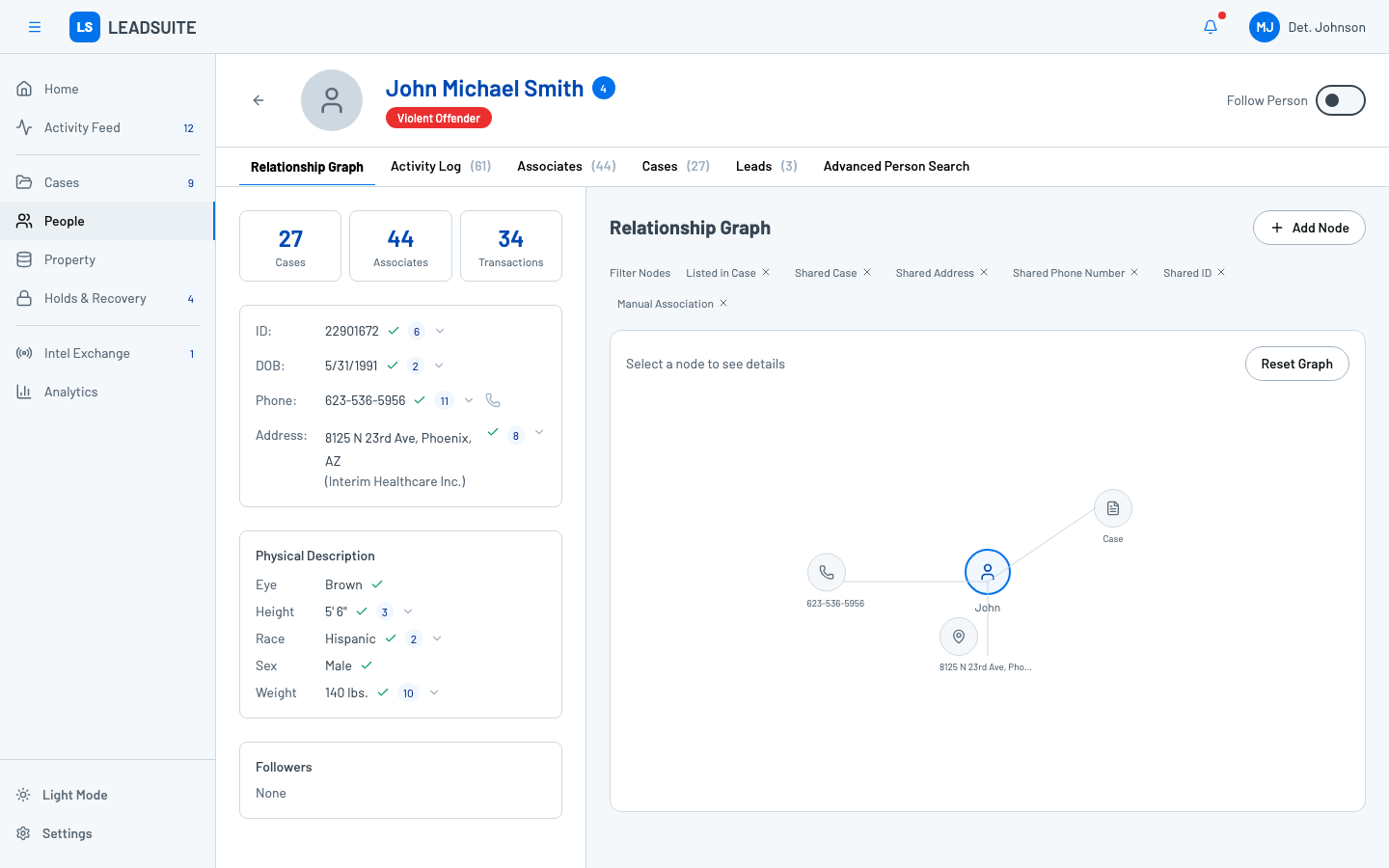
Rethinking the Person Profile
The earlier redesign introduced tabs to bring structure to what had been a wall of data. Unification expanded the data model enough to support a relationship graph - a visual way to explore connections between people, cases, phone numbers, and addresses. It turns the profile from a reference page into an investigative tool.
The Bigger Bets
Universal search
Over 25 years, LeadsOnline built more than ten specialized search forms. We're replacing them with a single AI-powered search, and the bet is that if it's genuinely more capable, the transition is worth making.
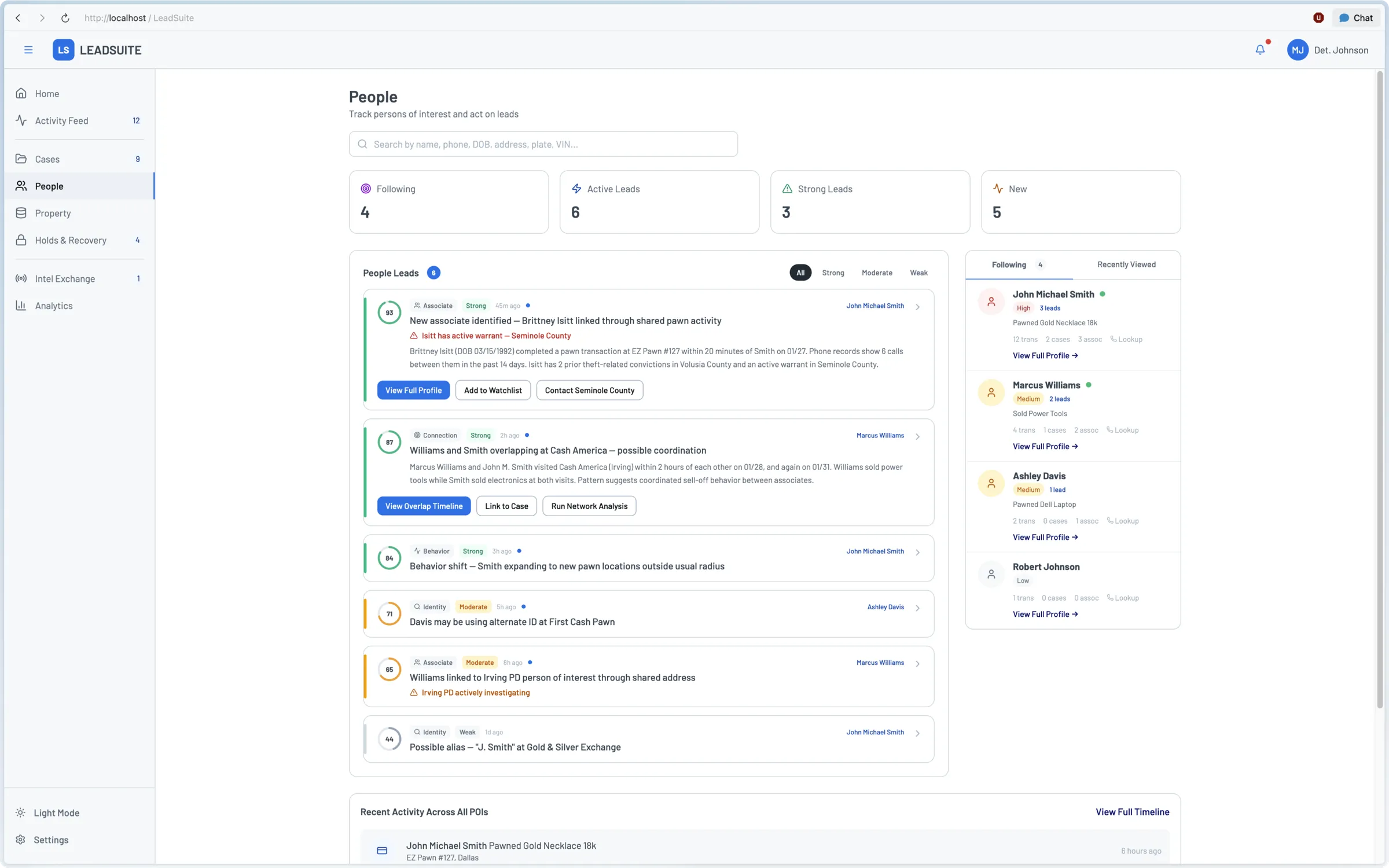
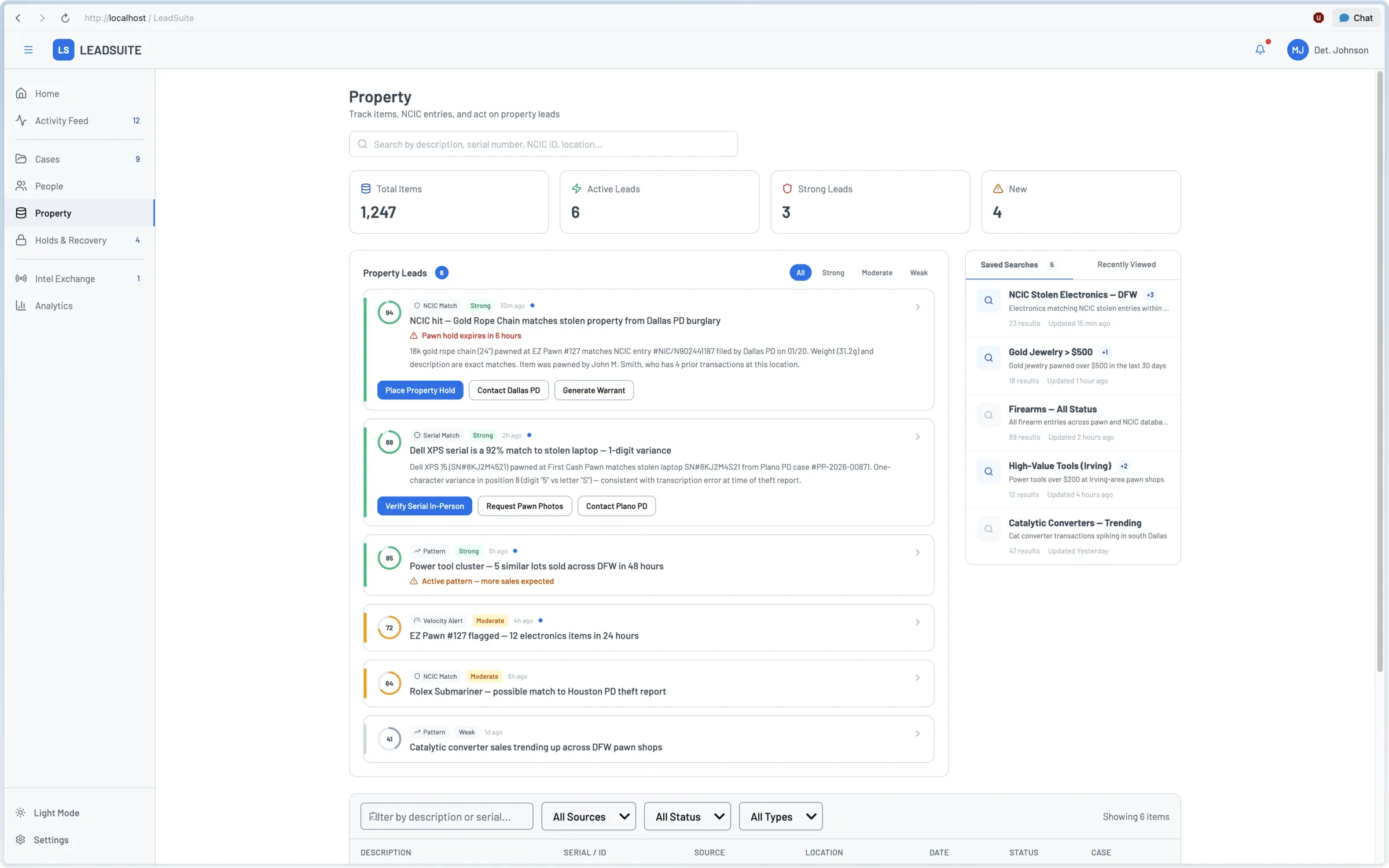
Lead ranking
User feedback on the current leads feature was positive, but every lead looked equally important. Surfacing more insights without a way to prioritize them just recreates the cognitive load we were trying to remove.
Case Builder
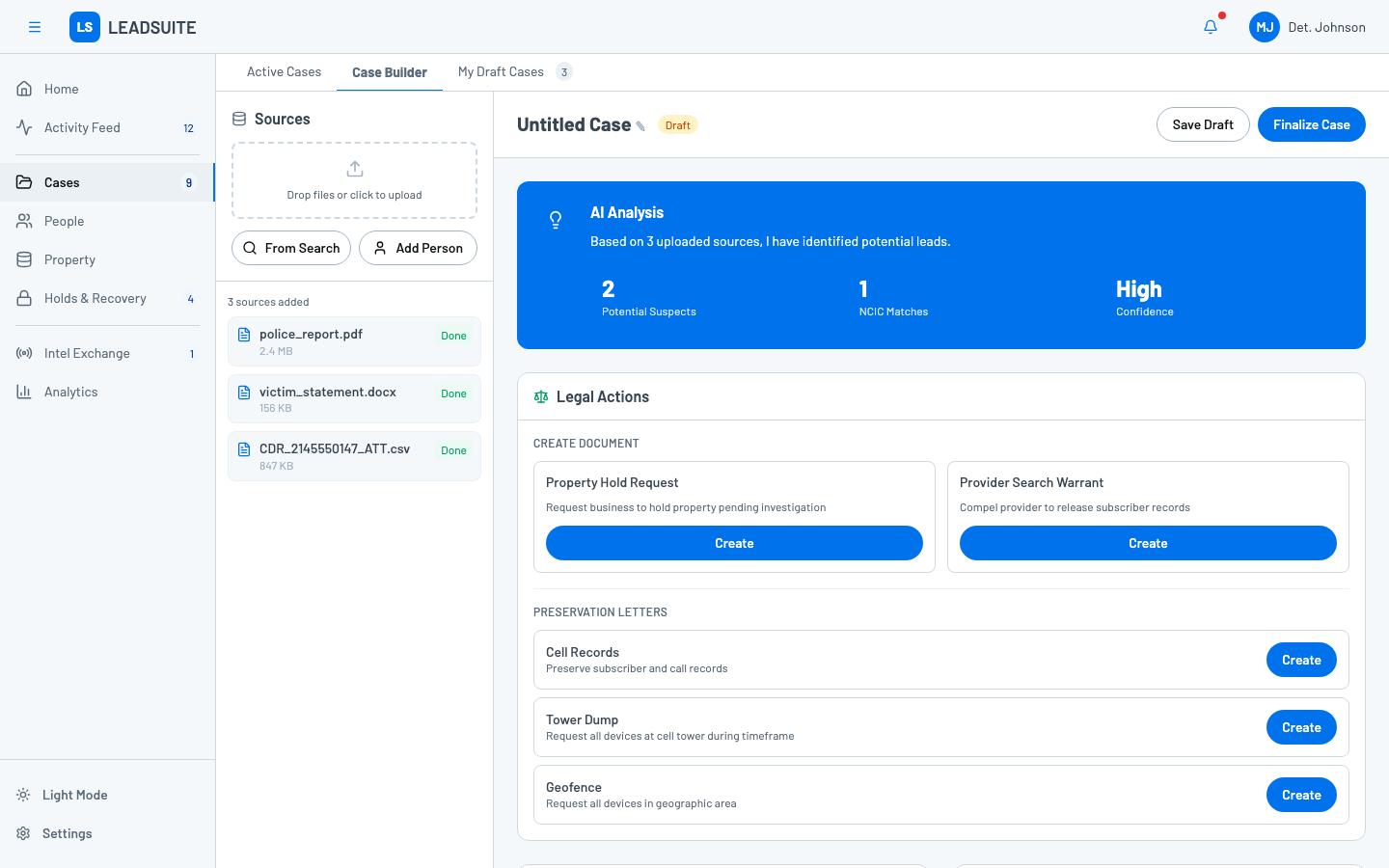
Case Builder is where the AI integration becomes tangible. Investigators upload sources - police reports, CDR records, victim statements - and the system surfaces potential suspects, NCIC matches, and confidence levels. From the same view, they can generate legal documents like property hold requests and search warrants. It turns case assembly from manual cross-referencing into an AI-assisted workflow.
Impact
The outcome was not just a validated prototype. The company gained a shared vision for how acquired products, existing workflows, and AI capabilities could become one investigative platform.
Executive alignment
The prototype gave leadership a concrete artifact for evaluating a company-wide product strategy, replacing abstract debate with shared product understanding.
Team repurposed
Leadership repurposed an entire product team toward the unified platform, turning the concept into a primary product investment for the following year.
Implementation accelerated
Engineering is starting from my codebase, not a spec. The prototype is already opinionated about component structure, design system tokens, and interaction behavior, reducing handoff from weeks to days.
Operating model spreading
Prototype-driven design is now being adopted by two product teams, with PMs requesting workshops to learn the process after seeing how quickly it creates alignment.
Reflection
Clarity is a leadership artifact
The most valuable output was not a screen. It was a shared understanding of what the company could build next, and why that direction was worth pursuing.
Speed changes the conversation
When a strategic prototype can be built in two weeks, leadership does not have to choose between moving fast and evaluating deeply. They can react to the product while the strategy is still forming.
Synthesis is strategic work
The hard part was holding CEO input, PM explorations, engineering constraints, acquired product realities, and investigator workflows at the same time. Making that coherent is product leadership, not just craft.